
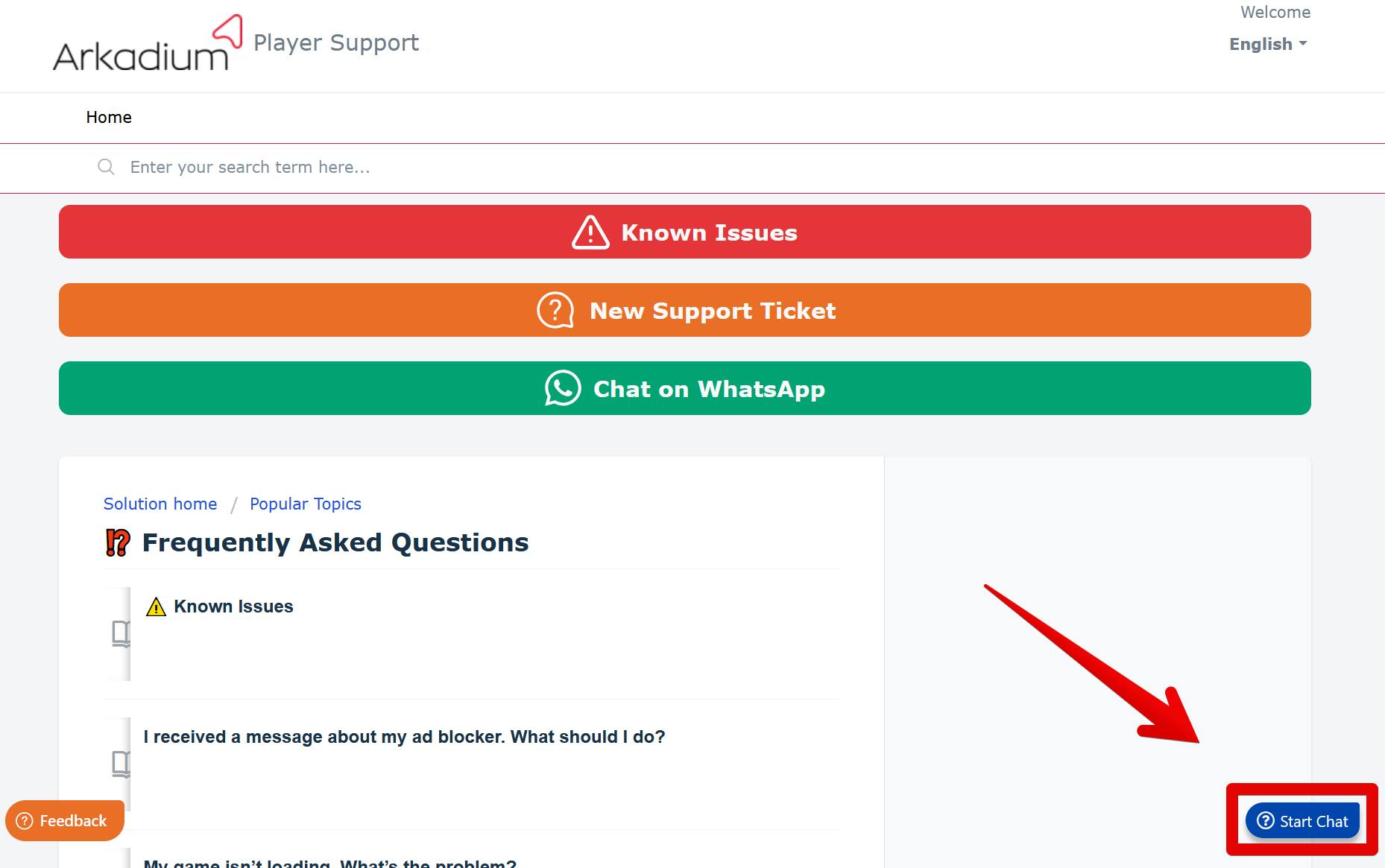
Arkadium understands your privacy concerns. Please provide us with your request in the Support Portal. You may reach it by clicking on Start Chat on the lower left of your screen, as pictured below.
WARNING: This procedure is working ONLY in the ChatBot, located on the Support Portal - support.arkadium.com. If you are not there, please, open the Support Portal first and follow next instructions.
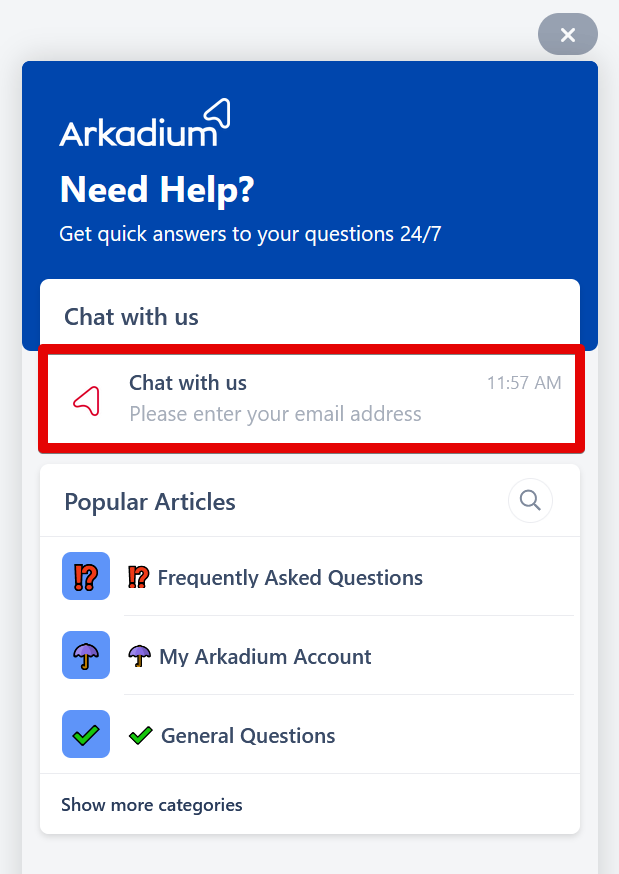
After which, you'll see our opened chatbot. Select Chat With Us.
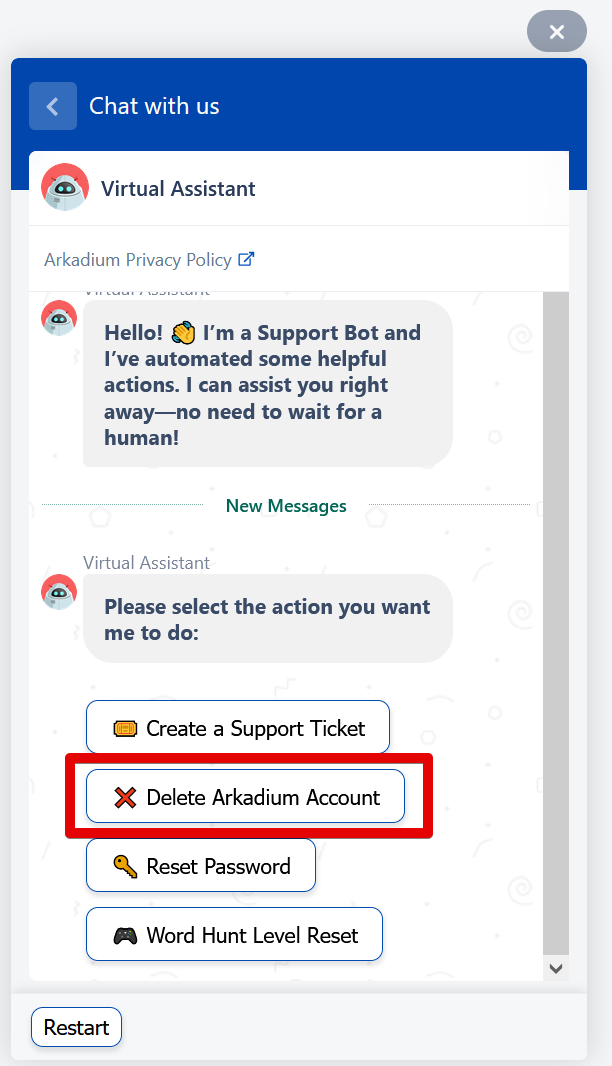
Then, select Delete Arkadium Account.
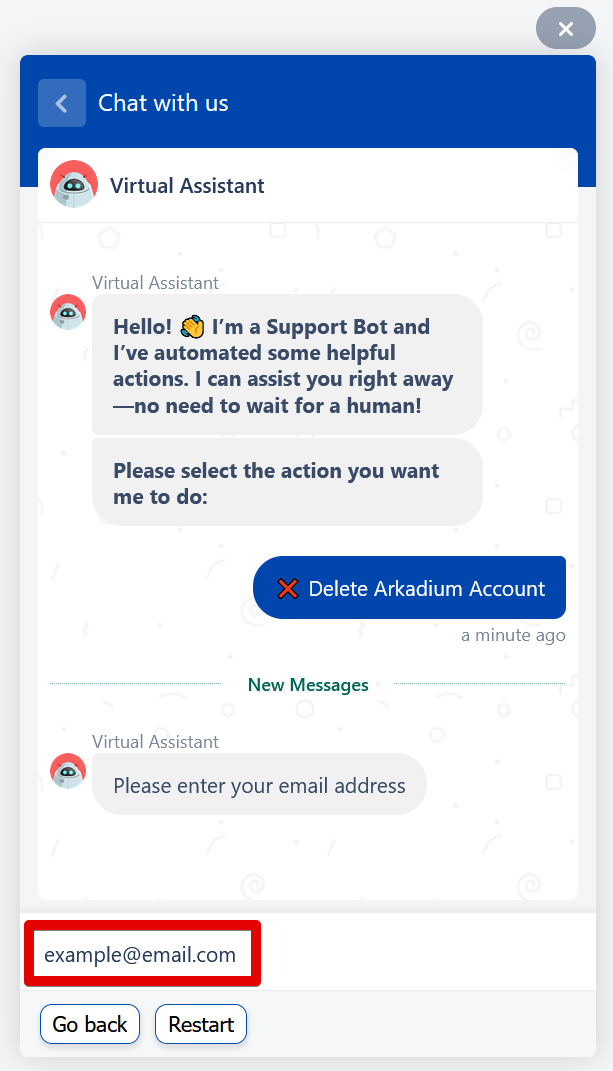
You'll then be prompted to type your e-mail address. Type it in the space and press Enter.
You'll then be told that a code has been sent to your e-mail inbox for security, and to enter the code below.
You will find the code in your e-mail inbox, as pictured below. The code will only be active for 10 minutes, so be sure to insert the code right away.

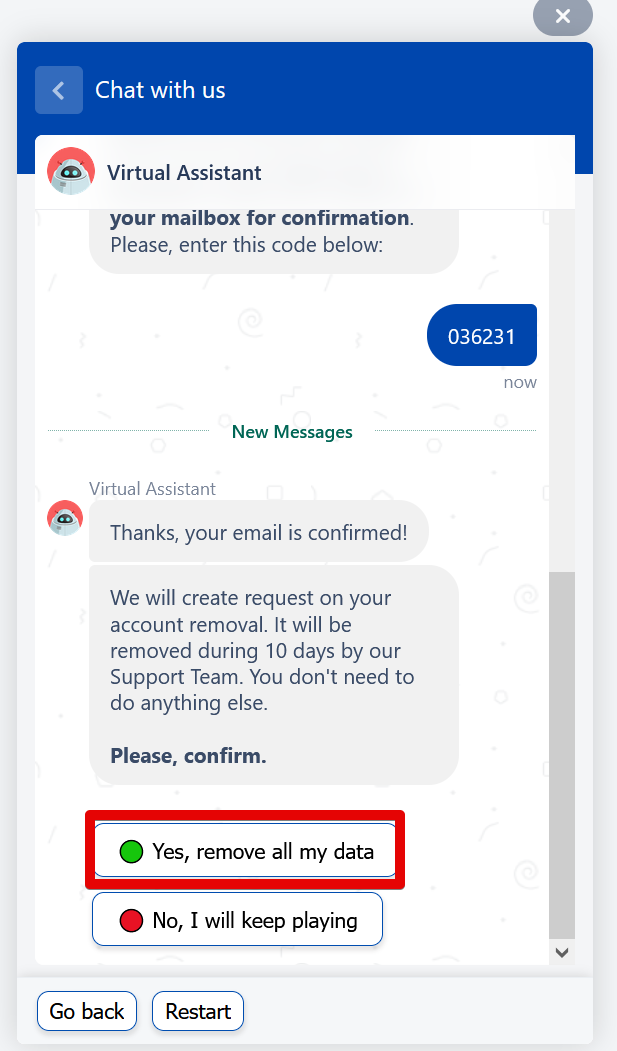
After inserting the correct code, you will see a message stating that your e-mail has been confirmed, and you will be asked one final time if you'd like to proceed with the deletion. If so, click on Yes, remove all my data as seen below.
Your request will then have been created, and your account will be deleted within ten days.
